
Agentic AI · Multi-Agent UX · 2025
Flow Intelligence Workspace.
For a global energy and petrochemicals company, I'm designing a workspace where several specialised AI agents run in parallel on the same commercial flow — one hunts losses, one surfaces revenue upside, others reconcile and check — and a human operator stays legibly in control across all of them. The design story is multi-agent orchestration UX: making a collection of agents coherent, trustworthy, and overridable inside a single interface. This is a live, in-progress engagement.
- Client
- Global energy and petrochemicals company (NDA)
- Role
- Senior Delivery AI UX Designer
- Year
- 2025
- Outcome
- In progress
live client engagement · early validation
01 · The problem
Framed in business terms
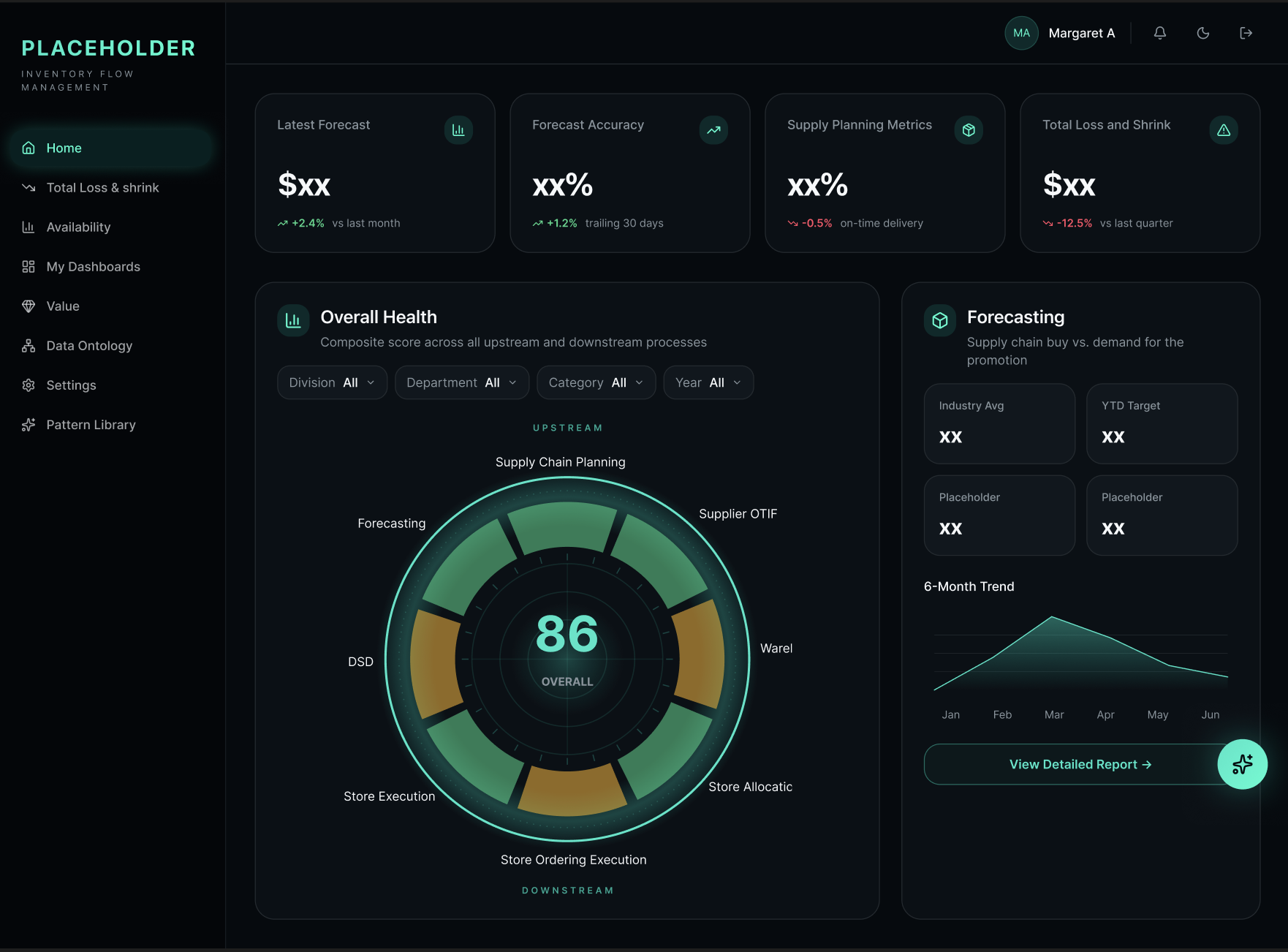
The client runs a high-volume commercial flow — inventory moves through the operation constantly, and every step carries margin risk: quiet losses that only show up on reconciliation, and revenue upside that gets left on the table because no one has time to spot it in the moment. Operators today live across five or six systems, correlate signals in their head, and act late. The people affected are the front-line operators making the calls, the commercial leadership accountable for the margin, and the finance team who inherit the mess at month-end. The pattern is familiar: too much signal, too many tools, no single place where the operational picture and the recommended action live together.
02 · Why AI, why now
The constraint that made AI the right call
A single monolithic AI wouldn't fit this problem. The work is genuinely a set of specialised jobs — detecting a loss is a different reasoning task from optimising a revenue lever, which is different again from reconciling a discrepancy. Each of those benefits from its own agent, tuned to its own data, its own thresholds, its own escalation rules. Multi-agent is the right architecture. The moment you accept that, though, the design problem gets harder, not easier: an operator now has to hold a conversation with several agents at once, know which one is speaking, judge whether to trust each recommendation, and act — without the interface fragmenting into a stack of dashboards. The AI decision was straightforward. The UX decision was the whole job.
03 · Workflow
Tool orchestration & sequence
- 01
Domain immersion
- Claude
- Operator interviews
- Process walkthroughs
Mapped the operational flow end-to-end with the humans who run it today — where decisions happen, what data they trust, and where losses and revenue leakage actually surface. Used Claude to synthesise transcripts and pull the recurring failure patterns out of hours of conversation.
- 02
Agent taxonomy
- Loss-detection agent
- Revenue-optimization agent
- Reconciliation agent
Named the agents by the job they do, not the model behind them. Each agent got a written charter — what it can decide, what it must escalate, what evidence it must show — before a single screen was drawn. The charter is the design brief.
- 03
Orchestration IA
- Single workspace shell
- Agent lanes
- Shared timeline
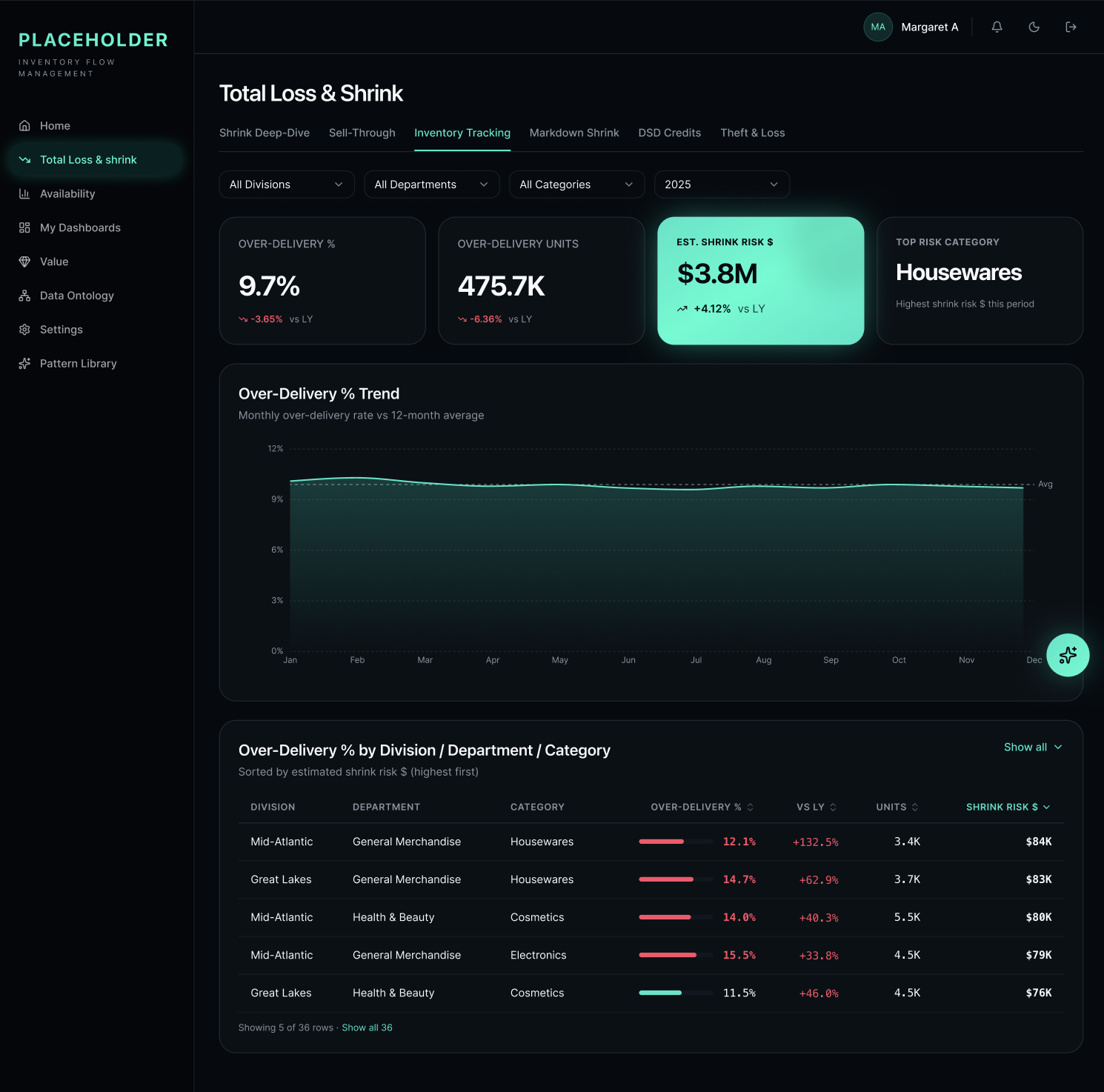
Designed one workspace shell instead of one tool per agent. Agents live in lanes off a shared operational timeline, so the operator always sees the same reality — and hands off between agents without losing context or re-authenticating a decision.
- 04
Trust surfaces
- Reasoning trail
- Confidence bands
- Source citations
- Override log
For every agent recommendation: what it saw, how confident it is, which sources it used, and a one-click override that's logged. Trust isn't a badge on the UI — it's a set of surfaces the operator can inspect in under five seconds.
- 05
Human-in-the-loop prototyping
- Figma Make
- Claude Design
- Scoped build prompts
Built the workspace as an interactive prototype with real review queues, approve / reject / send-back flows, and a running audit log. Scoped, incremental prompts against a fixed token system kept the multi-agent UI coherent across iterations.
- 06
Operator validation loops
- Walkthroughs with operators
- Loss-scenario replays
- Prompt revisions
Walked real operators through real loss scenarios in the prototype. Each session produced a short list of trust gaps and IA snags — folded straight back into the next prompt pass. Currently mid-loop; more sessions scheduled.
04 · Key decisions
Where the human overruled the obvious path
One workspace, many agents — not one app per agent
The obvious architecture was a suite: a loss-detection app, a revenue app, a reconciliation app, tied together with SSO. It would have shipped faster and mapped cleanly to the teams building each agent. I argued for — and got — a single workspace shell with agent lanes off a shared operational timeline. Reason: the operator's job isn't to consult three tools, it's to run one flow. Fragmenting the UI would have pushed the correlation work back into the operator's head, which is the exact problem we were hired to solve. The cost is coordination — the shell has to stay coherent as each agent evolves — and that's a cost worth paying.
Ask, don't announce — agents propose, operators dispose
The most seductive demo was full autonomy: agents detect, decide, and act. In this domain, in this trust environment, wrong. Every agent recommendation lands in a review queue with an explicit approve / reject / send-back. Auto-execution is available only for narrow, well-bounded classes of action, and even then it's logged and reversible. The design principle: an agent's job is to propose with evidence; the operator's job is to dispose with authority. Slower on the demo, faster on adoption — and non-negotiable for a domain where a wrong autonomous call has real financial consequences.
Make disagreement a first-class UI state
Multi-agent systems agree most of the time and it's boring. The interesting — and dangerous — moments are when two agents disagree, or an agent contradicts the operator's instinct. Instead of hiding those or resolving them silently in the model layer, I designed disagreement as a surfaced state: side-by-side reasoning, the specific data points each agent weighed differently, and an explicit operator resolution that's captured. Disagreement becomes a decision moment, not a bug — and the log of resolutions becomes training data for the next iteration.
Confidence as a band, not a number
The default pattern is to show a percent — 87% confident — which reads as precise and isn't. I moved to a three-band model (high / needs-review / low-confidence) tied to explicit action defaults per band. It gives the operator a clear behavioural rule ("needs-review always gets a human read") without pretending the underlying model calibration is more exact than it is. Less impressive on a slide, more honest in the room.
05 · Outcome
Measured in the business, not the mockup
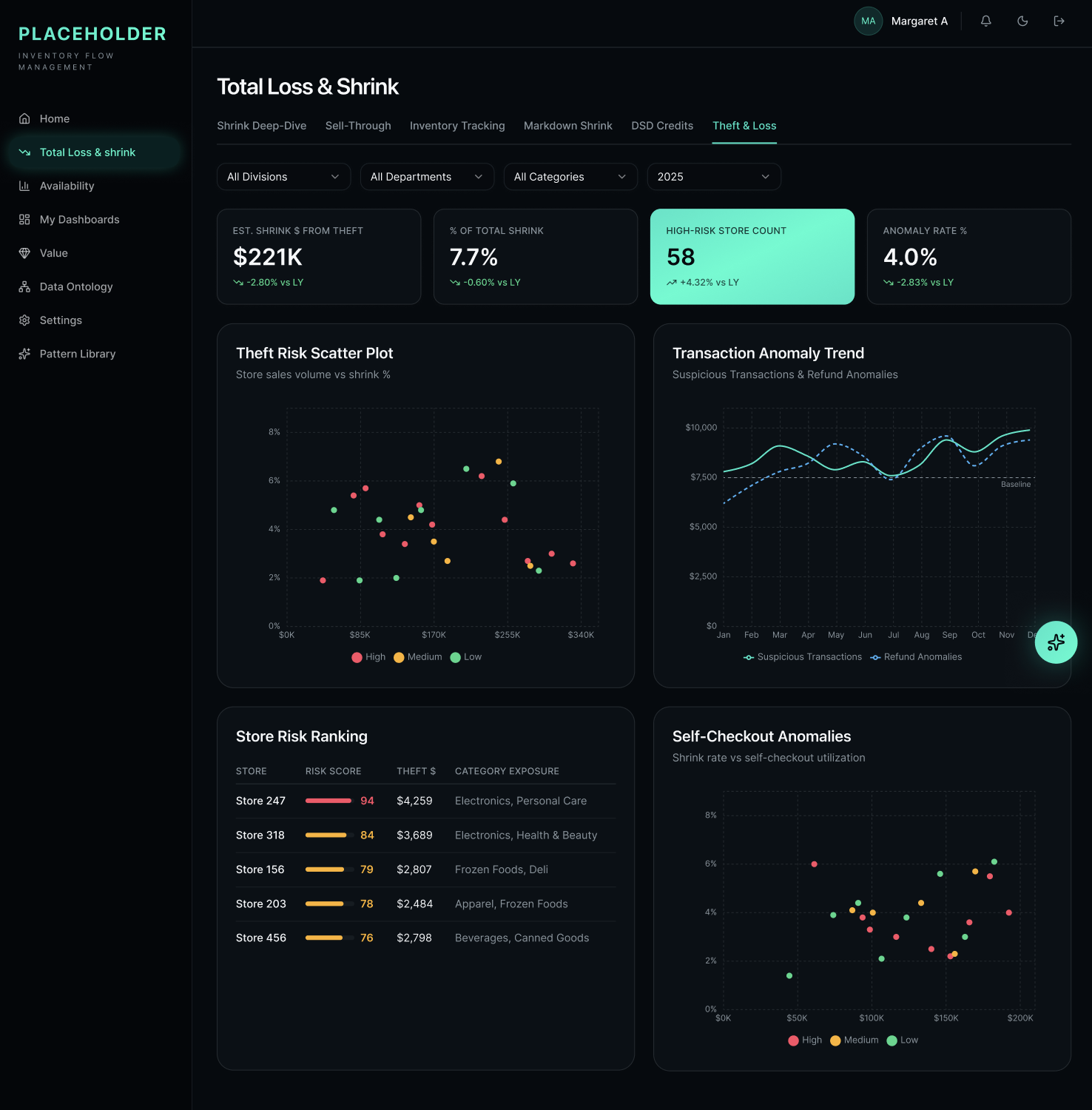
- Multi-agent workspace shell and agent lanes designed and prototyped end-to-end; core review, override, and audit-log flows interactive.
- Agent charters written and validated with the client's product and responsible-AI teams — each agent has a defined scope, escalation path, and evidence contract.
- Trust surfaces (reasoning trail, confidence bands, source citations, override log) built into every agent recommendation as a design invariant.
- Operator walkthroughs in progress; early qualitative signal is positive on legibility and control — [RESULT PENDING — in progress] for quantitative operator metrics.
- [RESULT PENDING — in progress] for measured business impact (loss recovery rate, revenue-lever capture, time-to-action). To be validated against live operation.
06 · Learnings
What I'd do differently
The thing I'm watching most closely is whether the trust surfaces stay useful as operators get familiar with the agents — the risk is that inspection collapses into rubber-stamping, which is worse than no inspection at all. If I were starting over, I'd write the agent charters even earlier, before the domain immersion is fully complete, and use them as a forcing function in the interviews: nothing sharpens a conversation with an operator like asking them to react to a written contract for an agent that doesn't exist yet.
Client details withheld under NDA. Numbers, workflow, and screenshots shown in anonymized, representative form.